Android Custom View 102 (Part 18)
ObjectAnimator example

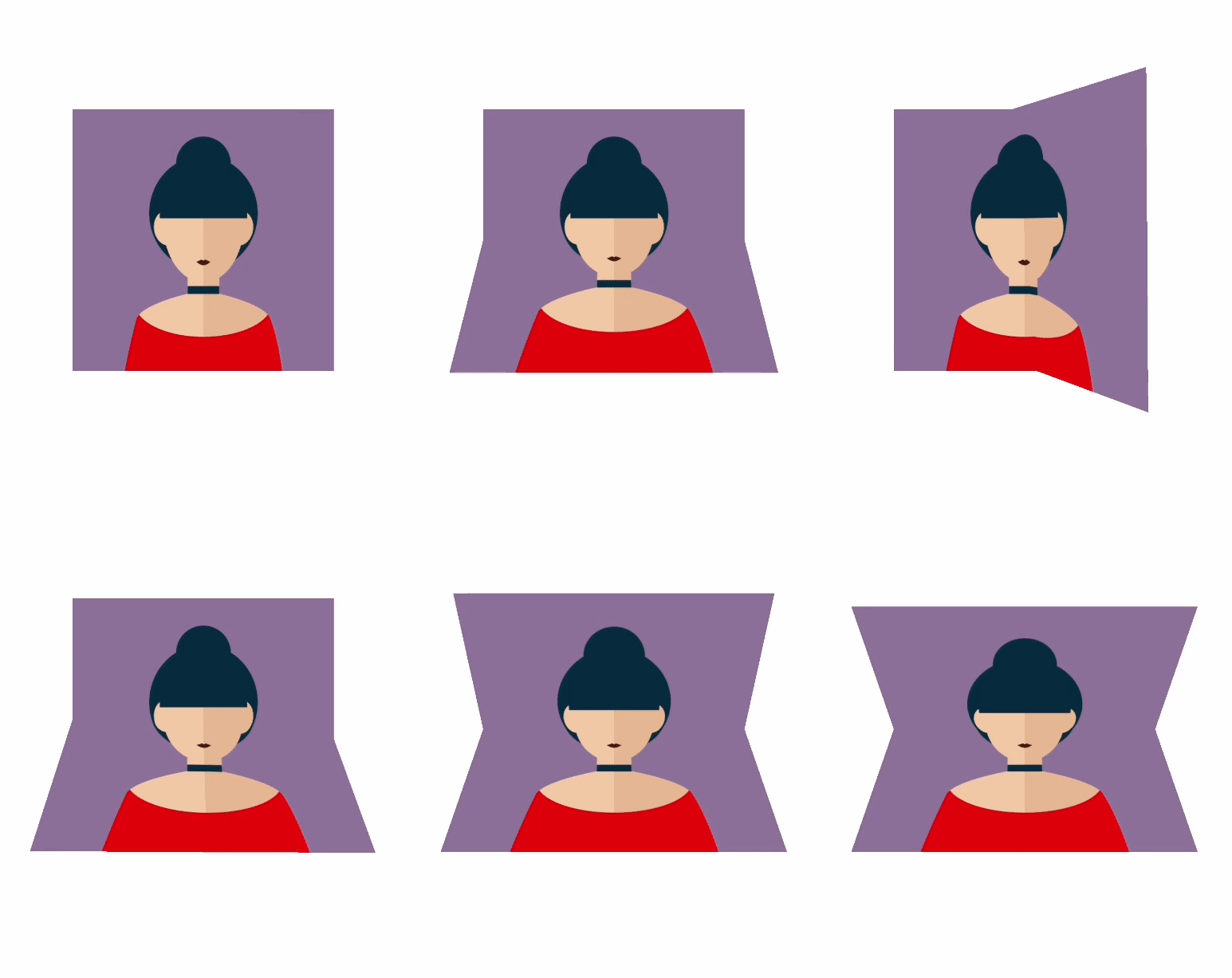
In this post let’s look at how to do this cool animation using ObjectAnimator.
This is built on top of previous post
class CameraView @JvmOverloads constructor(
    context: Context, attrs: AttributeSet? = null, defStyleAttr: Int = 0
) : View(context, attrs, defStyleAttr) {
    private val paint = Paint(Paint.ANTI_ALIAS_FLAG)
    private val imageSize = dp2px(200)
    private val leftPadding = dp2px(100)
    private val topPadding = dp2px(100)
    private val image = getAvatar(imageSize)
    private val camera = Camera()

    private var cameraRotationUpper = 0.0f
    private var cameraRotationLower = 0.0f
    private var foldDegree = 0.0f

    fun setCameraRotationUpper(deg: Float) {
        cameraRotationUpper = deg
        invalidate()
    }

    fun getCameraRotationUpper() = cameraRotationUpper

    fun setCameraRotationLower(deg: Float) {
        cameraRotationLower = deg
        invalidate()
    }

    fun getCameraRotationLower() = cameraRotationLower

    fun setFoldDegree(deg: Float) {
        foldDegree = deg
        invalidate()
    }

    fun getFoldDegree() = foldDegree

    init {
        camera.setLocation(0.0f, 0.0f, -4 * resources.displayMetrics.density)
    }

    override fun onDraw(canvas: Canvas) {
        super.onDraw(canvas)

        canvas.save()
        canvas.translate(leftPadding + imageSize / 2, topPadding + imageSize / 2)
        canvas.rotate(-foldDegree)
        camera.save()
        camera.rotateX(cameraRotationUpper)
        camera.applyToCanvas(canvas)
        camera.restore()
        canvas.clipRect(-imageSize, -imageSize, imageSize, 0.0f)
        canvas.rotate(foldDegree)
        canvas.translate(-(leftPadding + imageSize / 2), -(topPadding + imageSize / 2))
        canvas.drawBitmap(image, leftPadding, topPadding, paint)
        canvas.restore()

        canvas.translate(leftPadding + imageSize / 2, topPadding + imageSize / 2)
        canvas.rotate(-foldDegree)
        camera.save()
        camera.rotateX(cameraRotationLower)
        camera.applyToCanvas(canvas)
        camera.restore()
        canvas.clipRect(-imageSize, 0.0f, imageSize, imageSize)
        canvas.rotate(foldDegree)
        canvas.translate(-(leftPadding + imageSize / 2), -(topPadding + imageSize / 2))
        canvas.drawBitmap(image, leftPadding, topPadding, paint)
    }

    private fun getAvatar(width: Float): Bitmap {
        val options: BitmapFactory.Options = BitmapFactory.Options()
        options.inJustDecodeBounds = true
        BitmapFactory.decodeResource(resources, R.drawable.avatar, options)
        options.inJustDecodeBounds = false
        options.inDensity = options.outWidth
        options.inTargetDensity = width.toInt()
        return BitmapFactory.decodeResource(resources, R.drawable.avatar, options)
    }
}
class MainActivity : AppCompatActivity() {
override fun onCreate(savedInstanceState: Bundle?) {
super.onCreate(savedInstanceState)
setContentView(R.layout.activity_main)
val cameraView = findViewById<CameraView>(R.id.cameraView)
val animatorSet = AnimatorSet()
val animator1 = ObjectAnimator.ofFloat(cameraView, "cameraRotationLower", 45.0f)
.apply { duration = 1500 }
val animator2 =
ObjectAnimator.ofFloat(cameraView, "foldDegree", 360.0f).apply { duration = 2000 }
val animator3 = ObjectAnimator.ofFloat(cameraView, "cameraRotationUpper", -45.0f)
.apply { duration = 1500 }
with(animatorSet) {
playSequentially(animator1, animator2, animator3)
startDelay = 1000
start()
}
}
}
Twitter
Google+
Facebook
Reddit
LinkedIn
StumbleUpon
Email